
如何申請產品測試金鑰
- 適用對象:將要購買或想暸解F-Secure Client / Server Security產品的企業使用者。
- 適用產品版本:F-Secure Policy Manager 14.xx和F-Secure Client / Server Security 14.xx。
-
操作步驟:
-
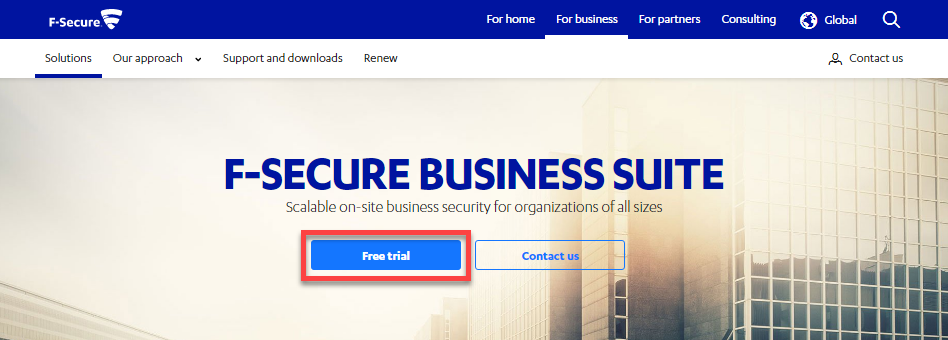
至F-Secure Business Suite網站,點擊「Free trial」進行註冊。
網址:https://www.f-secure.com/en/web/business_global/business-suite
-
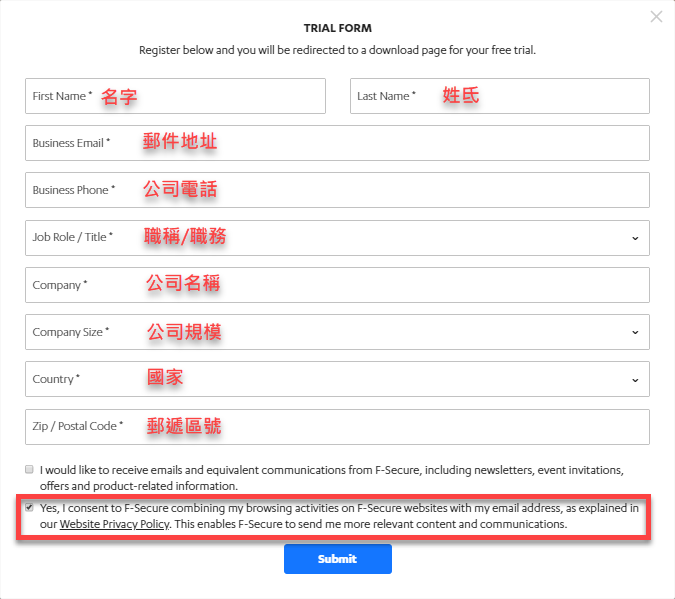
在申請測測試表單上填入公司相關資料後,點擊「Submit」送出。
-
依照需求下載並安裝軟體;程式軟體皆可在原廠重新下載。
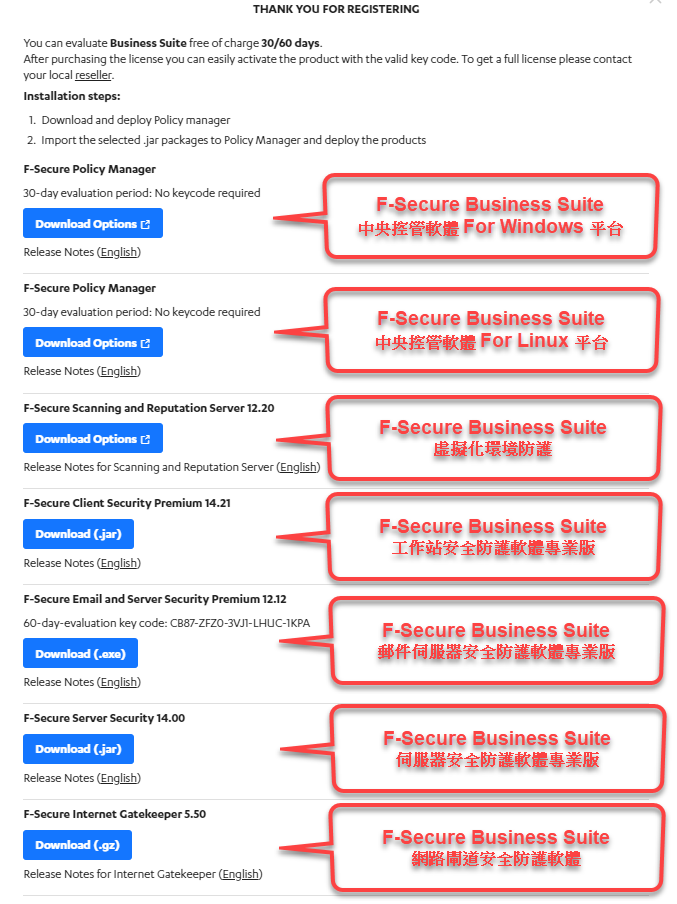
註:F-Secure Policy Manager在首次登入會詢問客戶編號(Customer Number),若未輸入即為試用版本。
註:試用版F-Secure>註:試用版F-Secure Policy Manager所部署的F-Secure Client Security 與F-Secure Server Security皆為試用版本,不需另外再輸入產品金鑰。
-
其他相關問題,歡迎聯繫科益客服中心,我們會儘快為您服務。
客服專線:(02)2585-8725;客服信箱:service@techez.com.tw
這篇有解決你的問題嗎?
謝謝你的回饋,我們會據此調整這篇文章。
這一票沒有送出成功(這篇文章可能剛剛被調整過)。請重新整理頁面再試一次。
還是沒解決?
把錯誤訊息與環境資訊告訴我們,技術團隊會協助判斷