
F-Secure Portection Service For Business
使客戶與經銷商購買正式版後能簡便快速的將原測試版本轉正式版使用
作業系統平台
Windows, Mac
瀏覽器
Microsoft IE , Google Chrome, Windows IE
操作步驟 :
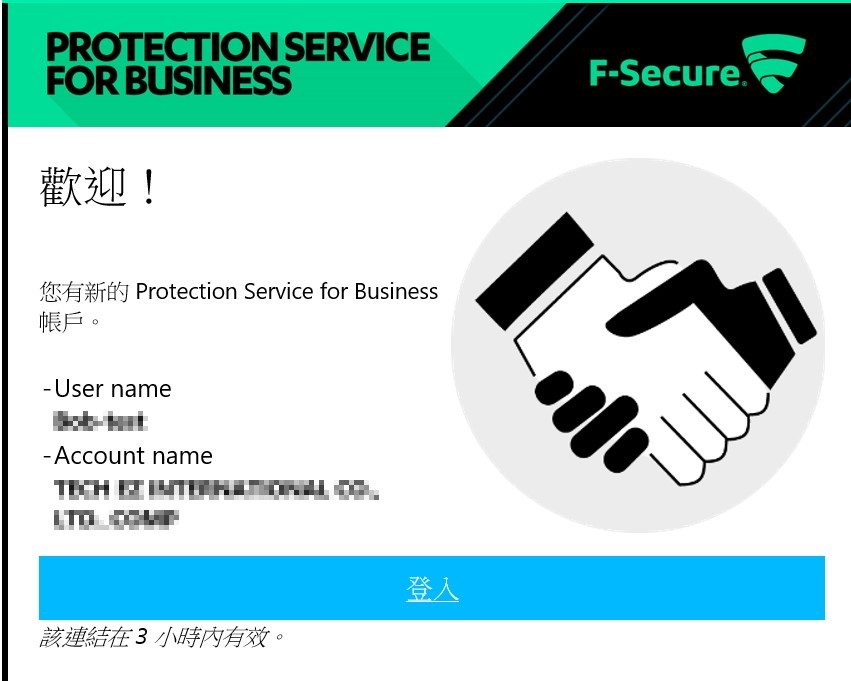
1. 訂購單上的管理者將會收到歡迎郵件,從郵件中的 “登入”處登入, 設定新的密碼即可啟用,
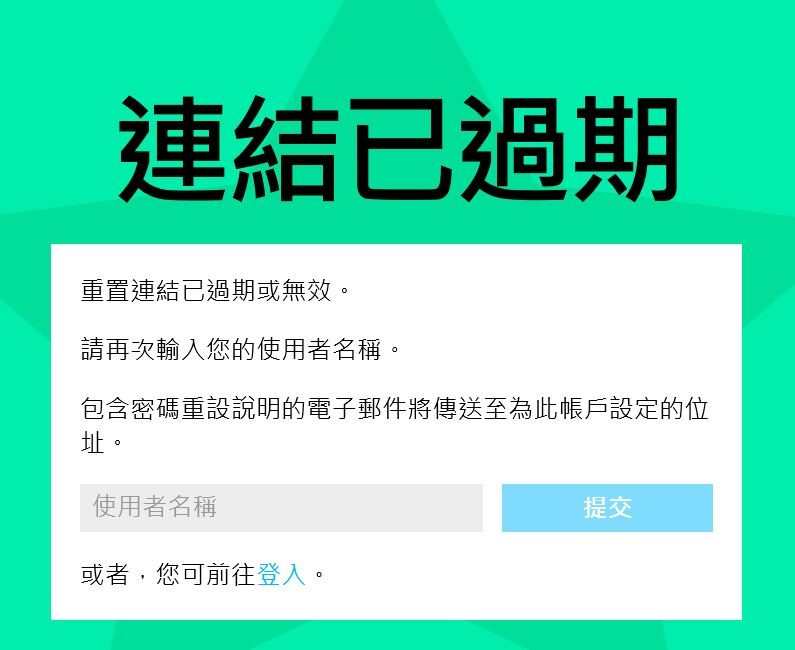
2. 如已逾時可輸入 User Name再提交一次即可
3. 因測試與購買的帳號不同,故F-Secure 會視此為新公司的中控台,所以先前已安裝測試版的設備將暫不被控管。
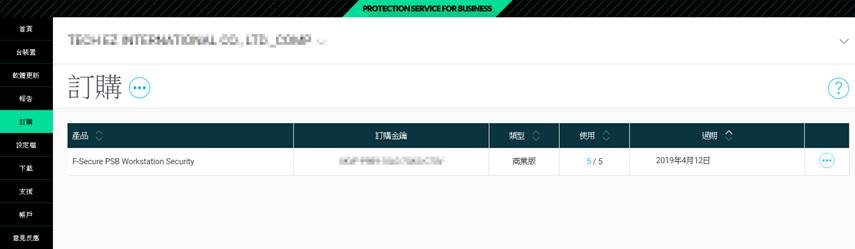
4. 原安裝測試版的工作站無須重新安裝,只要將”中控台”中”訂購”項目中的”訂購金鑰”的序號複製。
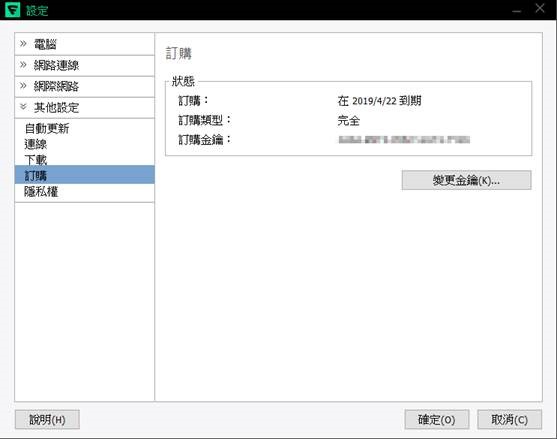
5. 填至”工作站”的 設定=>其他設定=>訂購=>變更金鑰 的項目中,稍後即可被納管
結尾 :
相關產品操作及使用文件,可參考下面網址
Workstation Security – Windows
https://help.f-secure.com/product.html#business/psb-wks-win/12.00/zh-tw
Workstation Security – Mac
https://help.f-secure.com/product.html#business/psb-wks-mac/12.00/zh-tw
Email and Server Security Security
https://help.f-secure.com/product.html#business/email-server-security/12.00/en
Freedome for Business with External MDM
https://help.f-secure.com/product.html#business/freedome-business-mdm/2016/en
Management Portal
https://help.f-secure.com/product.html#business/psb-portal/latest/en
PSB Management API
https://help.f-secure.com/product.html#business/psb-rest-api/1.0.0/en
相關產品操作及使用文件,可參考線上手冊:
🗄🗄點我了解更多🗄🗄
若還有其他技術問題,歡迎聯繫科益客服中心,我們會儘快為您服務。
客服專線:(02)2585-8725