
如何設定芬安全F-Secure 遠端派送(NT網域)
一、適用產品版本
F-Secure Policy Manager 12.x
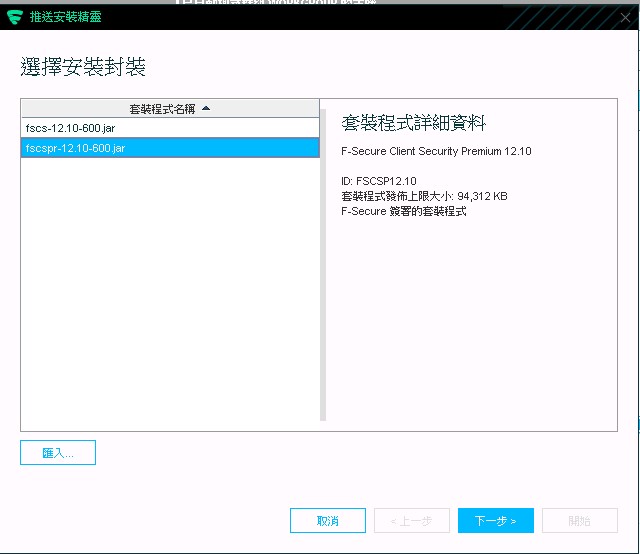
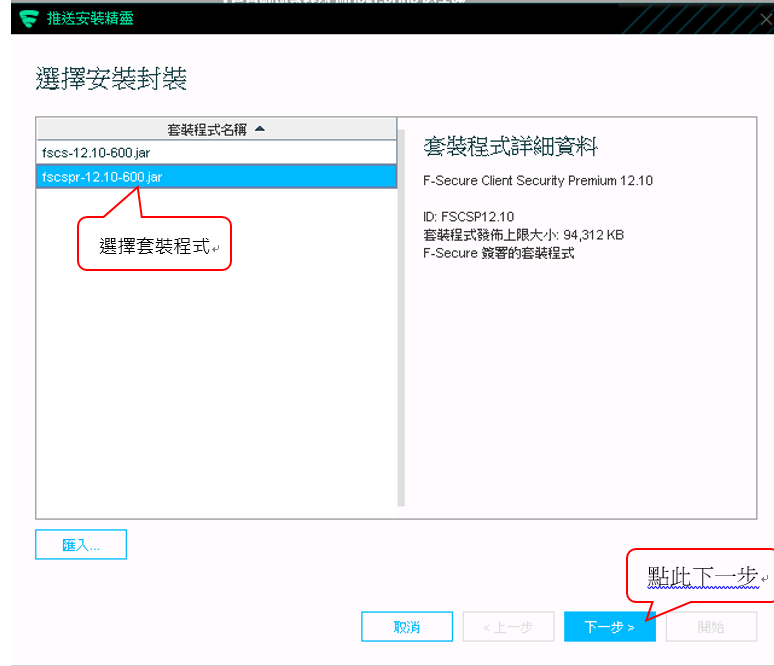
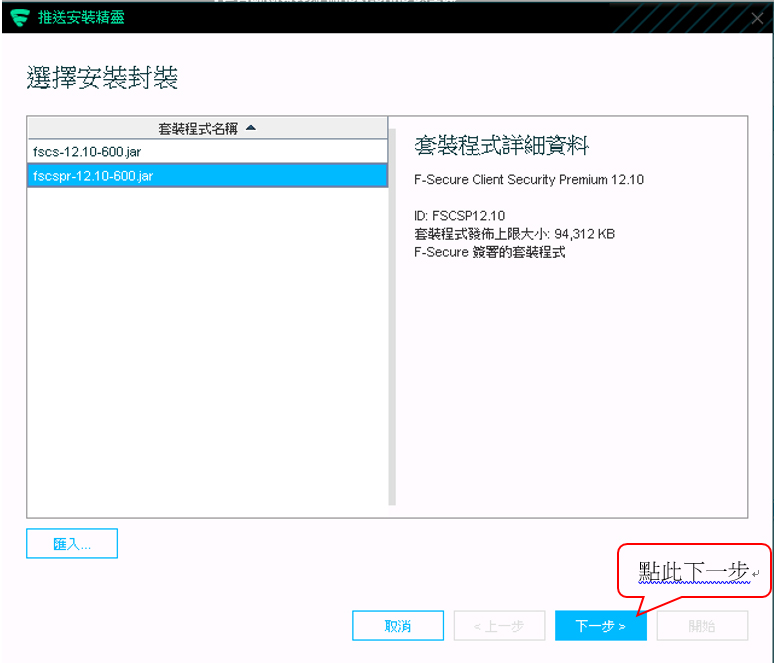
安裝封裝
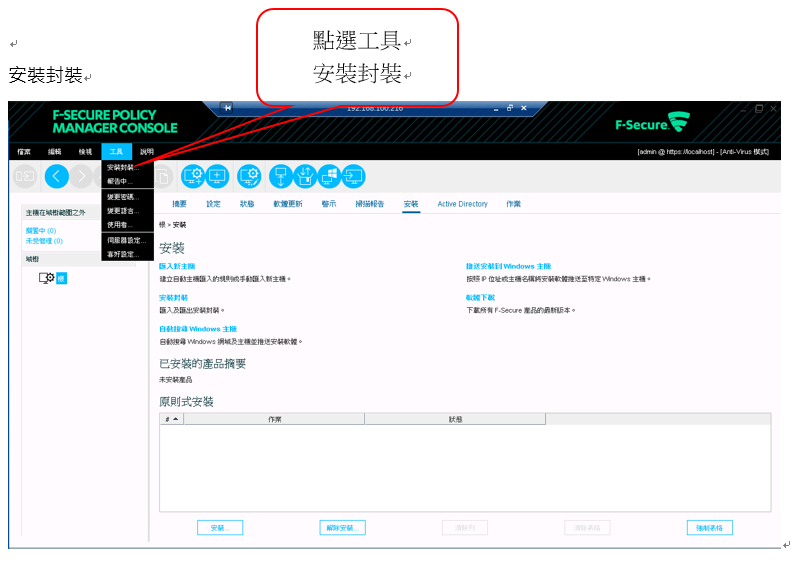
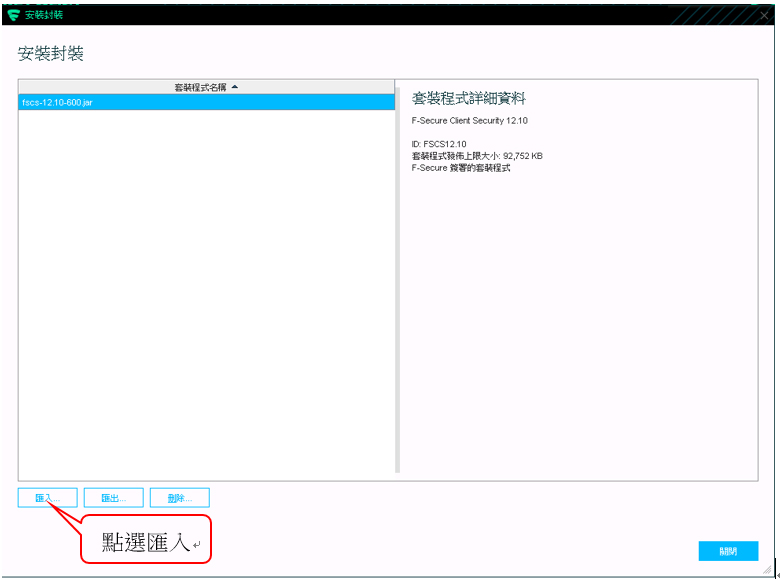
匯入
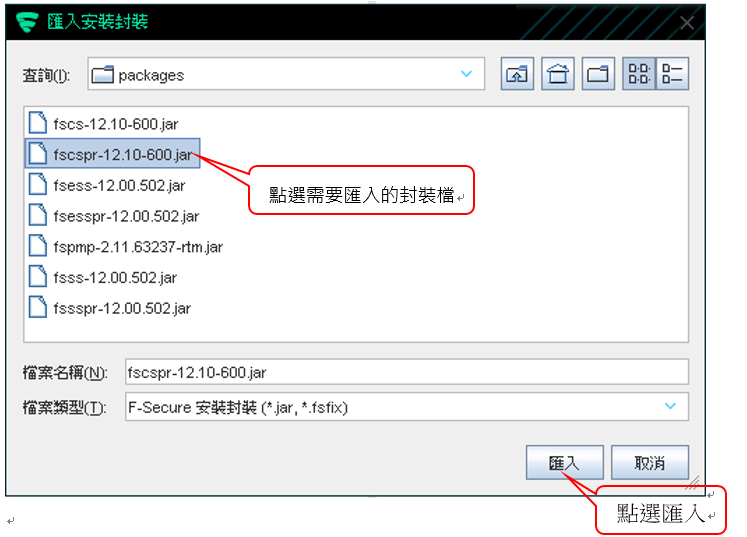
點選需要匯入的封裝檔
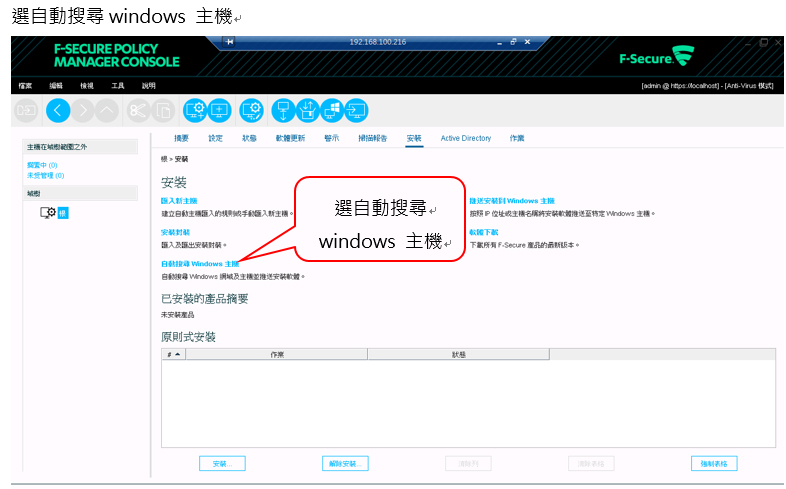
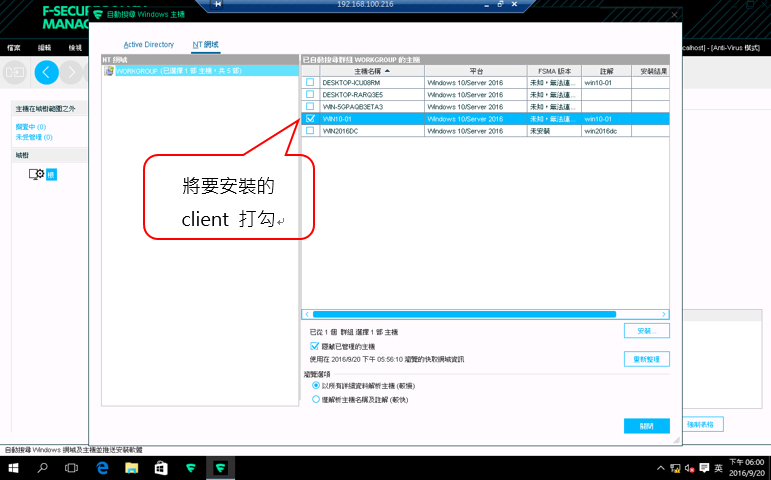
選自動搜尋windows 主機
將要安裝的client 打勾
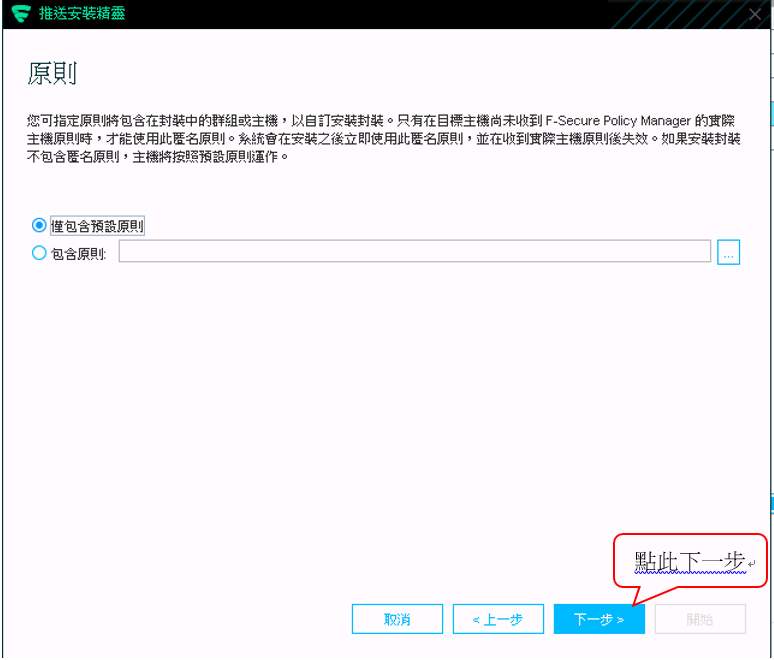
選擇其他使用者
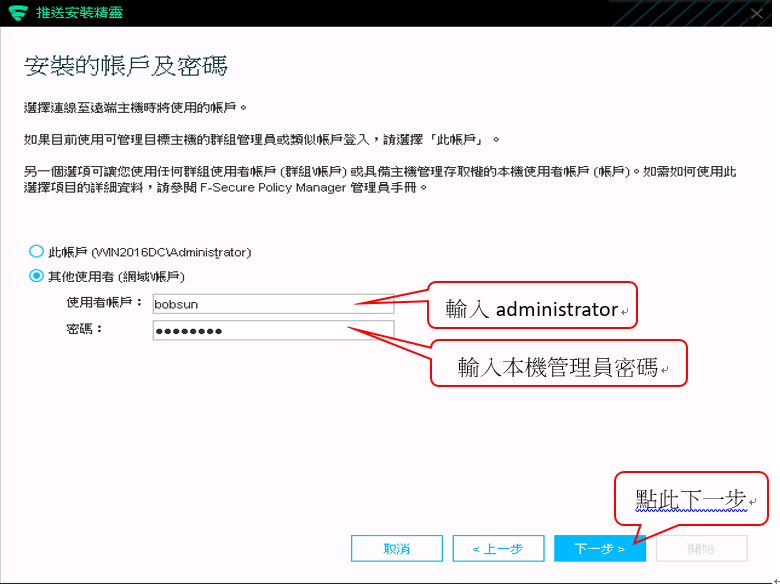
Server 本機管理者帳號administrator 若無enable 會出現權限錯誤的訊息
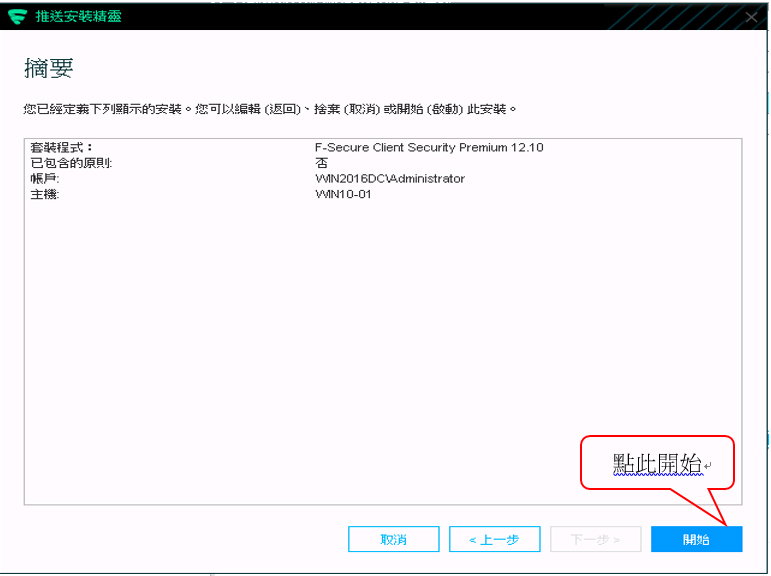
Client 安裝派送
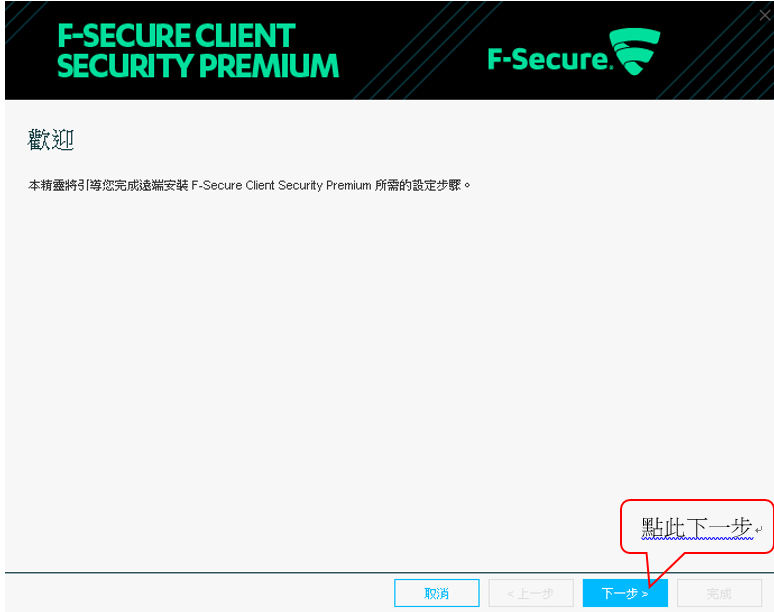
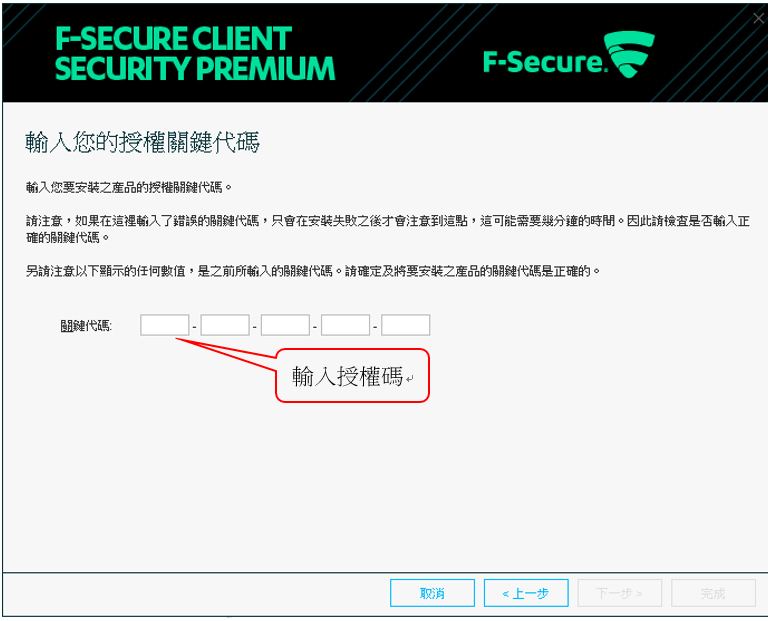
若無授權碼請至官網申請測試版BS Trial
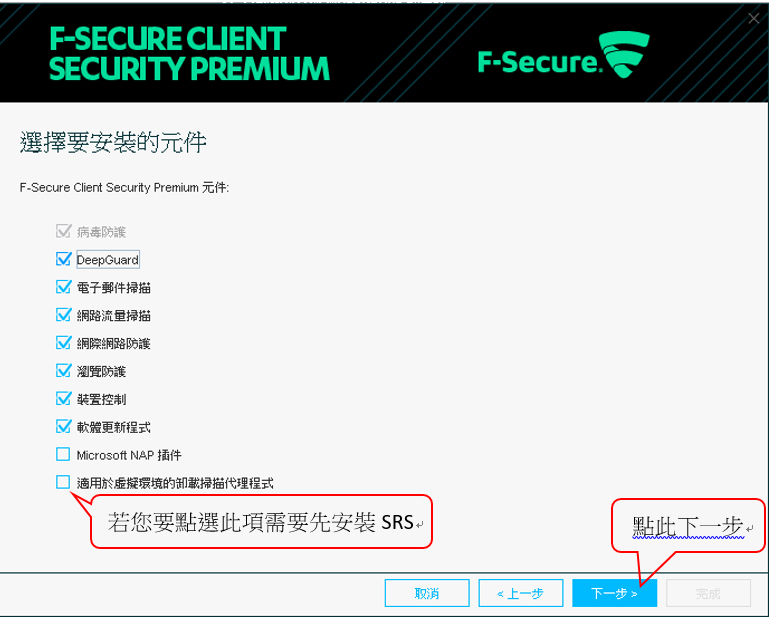
預設會安裝下列原件
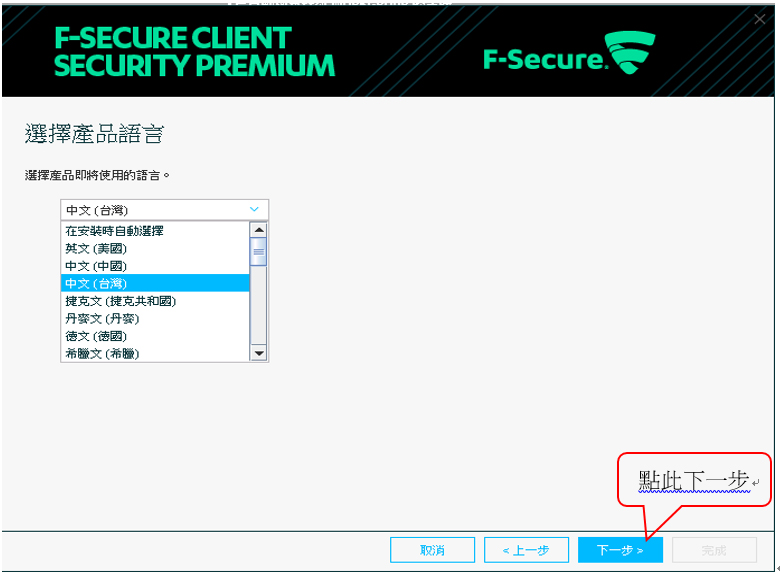
選取安裝語言
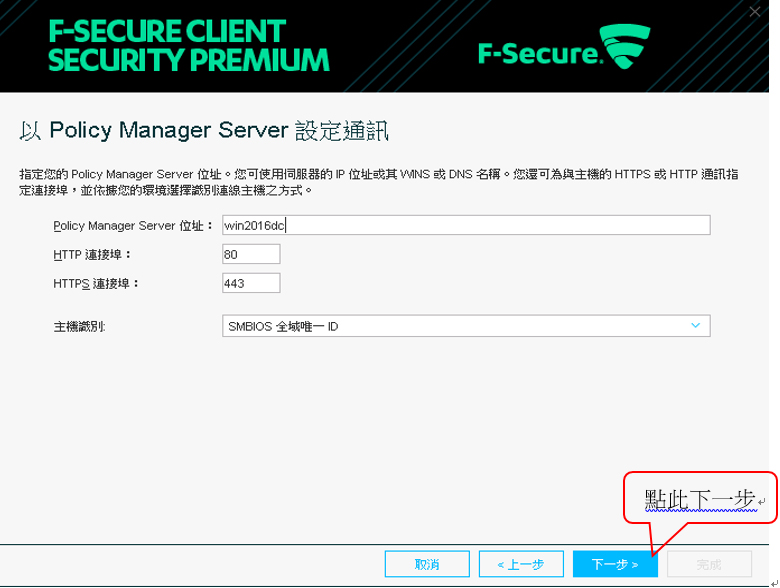
Policy Manager 通訊設定
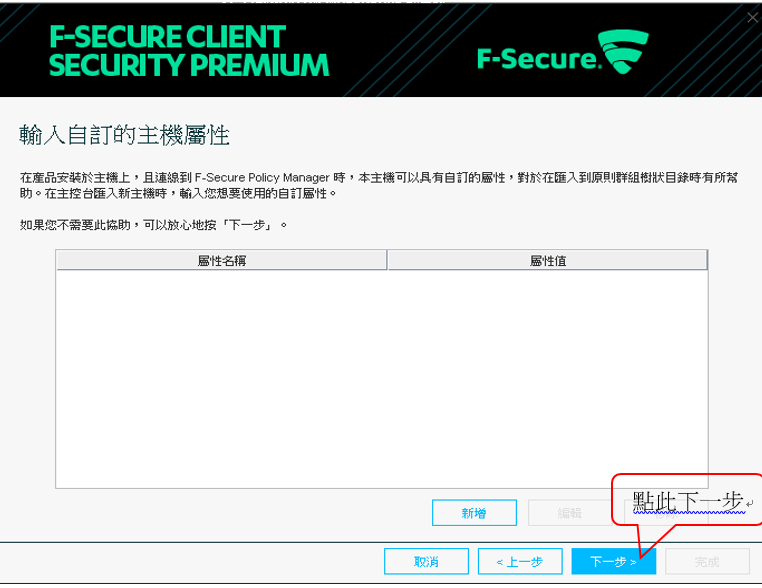
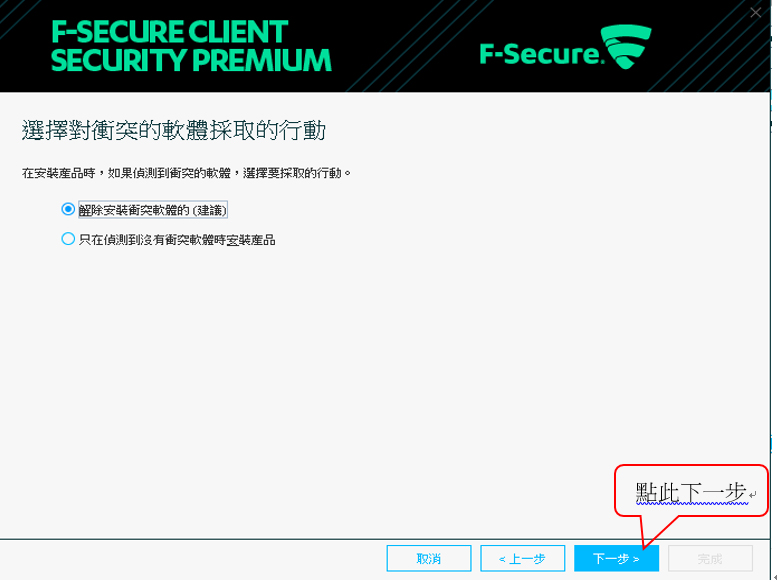
選擇先不要重新啟動
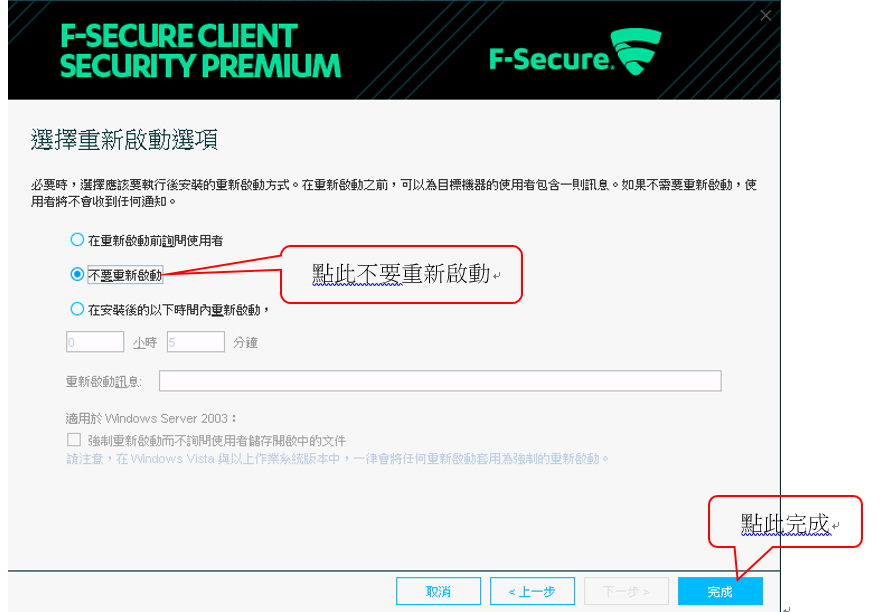
作業系統平台
Windows Server 2008 SP1 32-bit, editions: Standard, Enterprise, Web Server
Windows Server 2008 SP1 64-bit, editions: Standard, Enterprise, Web Server, Small Business Server, Essential Business Server
Windows Server 2008 R2 with or without SP1, editions: Standard, Enterprise, Web Server
Windows Server 2012, editions: Essentials, Standard, Datacenter
Windows Server 2012 R2, editions: Essentials, Standard, Datacenter
Windows Server 2016 ready
相關產品操作及使用文件,可參考線上手冊:
🗄🗄點我了解更多🗄🗄
若還有其他技術問題,歡迎聯繫科益客服中心,我們會儘快為您服務。
客服專線:(02)2585-8725
客服信箱:service@techez.com.tw